Sign in to the panel
marCloudBackup has multiple forms of authentication available. To create your account and sign in to the marCloudBackup Panel for the first time, you need to sign in with your Discord account.
This will allow the Panel to access your:
- Discord account username and avatar
- your email address
- the list of servers you are a member of.
Why we need those is explained in detail below.
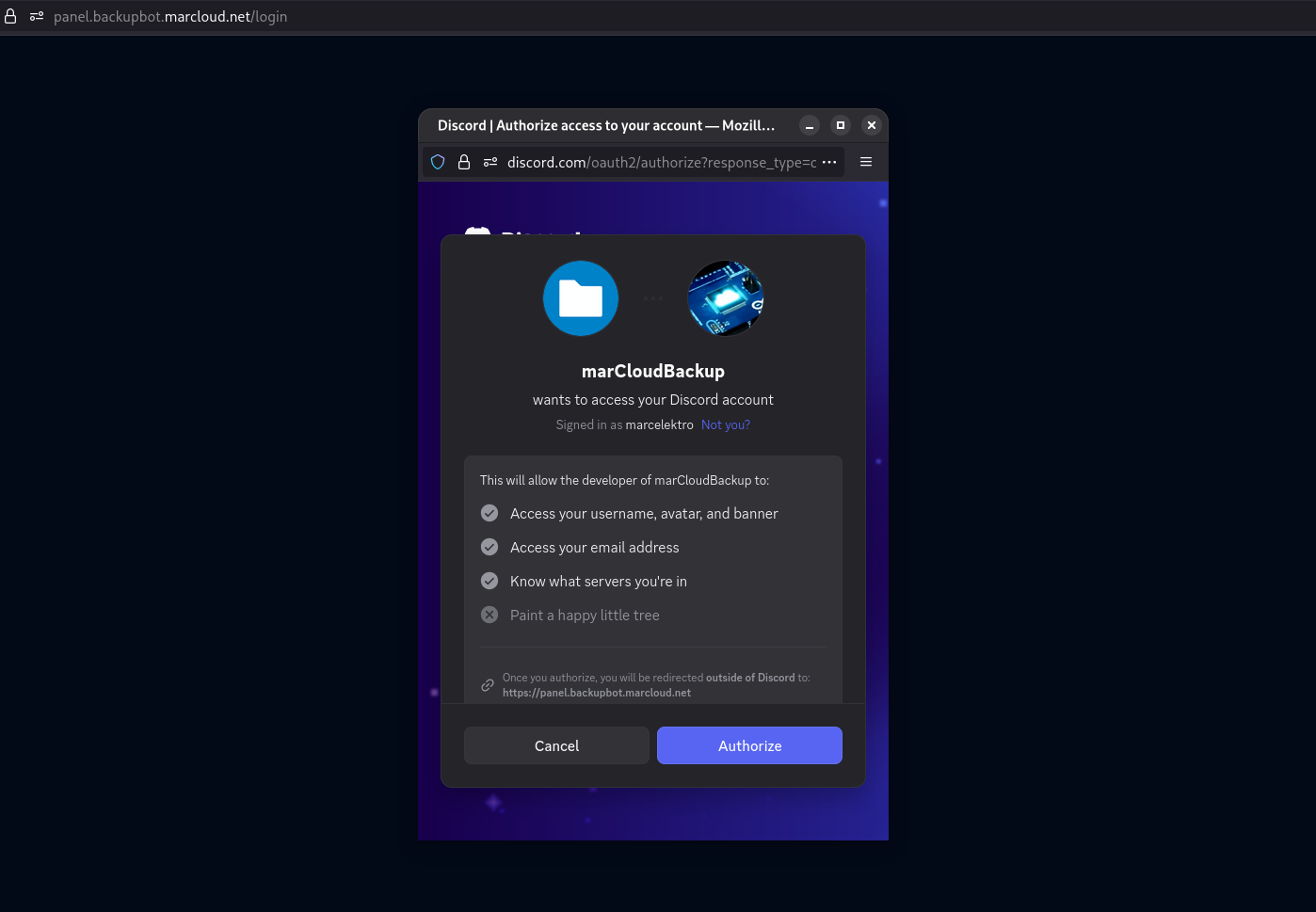
Required permissions, explained
"Email address"
The backup bot is tied to your Discord account. However, when something bad happens to your Discord account, e.g. it gets hacked or falsely disabled, you would lose access to your backups, since the bot would not be able to identify you anymore.
To avoid this, you can create an email-password login for your account, which will allow you to log in to the Panel only with your own credentials, not Discord OAuth.
We need your email address at the initial sign-in to associate that email with your internal marCloudBackup account.
Why not just ask for an email later during password setup?
Because if the attacker takes over your Discord account, they could also take over your Panel account if you haven't set up a password yet, and they would set it up on their own email. We would never have a way to verify that the email is yours, and you would lose access to your backups forever.
Can you trust us?
We never send any spam emails, and we never share it with any 3rd parties. (See our Privacy Policy). We've been operating since 2019 with zero data or security breaches, and we can promise that we will stay that way. We're quite crazy about privacy.
"Know what servers you're in"
The bot needs a quick way to read the list of servers you are a member of and know your permissions in those servers, so that it can show you the servers in the dashboard.
Why not just do ...?
The only other way for us to do that would be having all bot instances retrieve the member list for every server they're in, and then aggregate that data. It would be computationally expensive, and would also require storing a lot of unnecessary data (server member lists).
Instead, we chose to use Discord's OAuth2 system which is the intended way to do this.
After signing in
You will be presented with the dashboard view, which shows you all servers and bots you have access to.
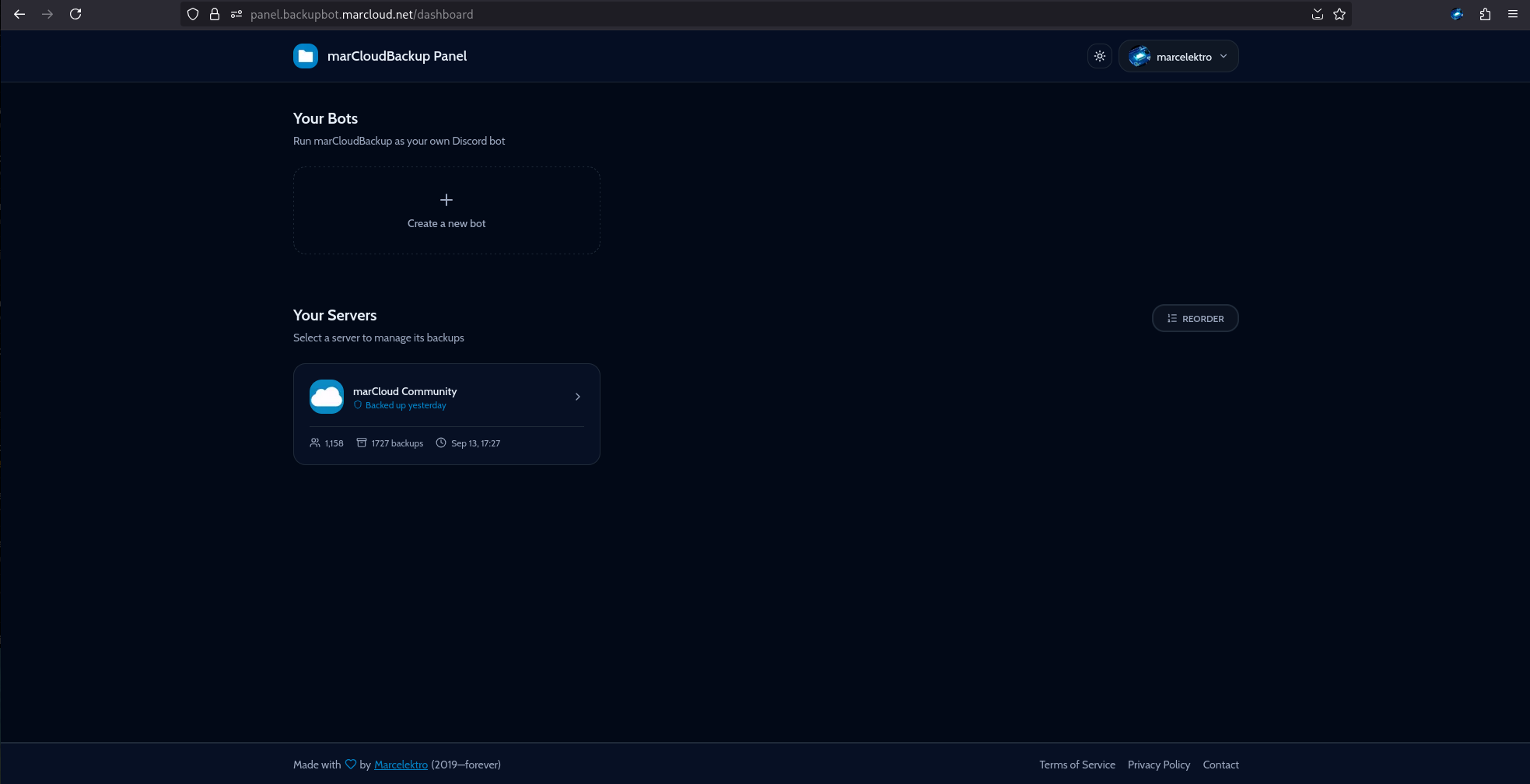
On first sign-in, in the onboarding you will be asked to accept our Terms of Service. You must read and accept them to continue using the Panel.
We'll say it here too: if you use our service for activities that violate our Terms of Service or Discord's Terms of Service and Community Guidelines, your access will be terminated. Password auth won't help. Please follow the rules.
Enjoy using the Panel! If you have any questions, feel free to reach out to us on our Discord server.